Fast checkout at the counter
Touchscreen, barcode scanner and cash or card payment.
Take payments in-store with an agile POS and let every sale update your stock and your accounting in Business Central instantly. No manual closings, no discrepancies.
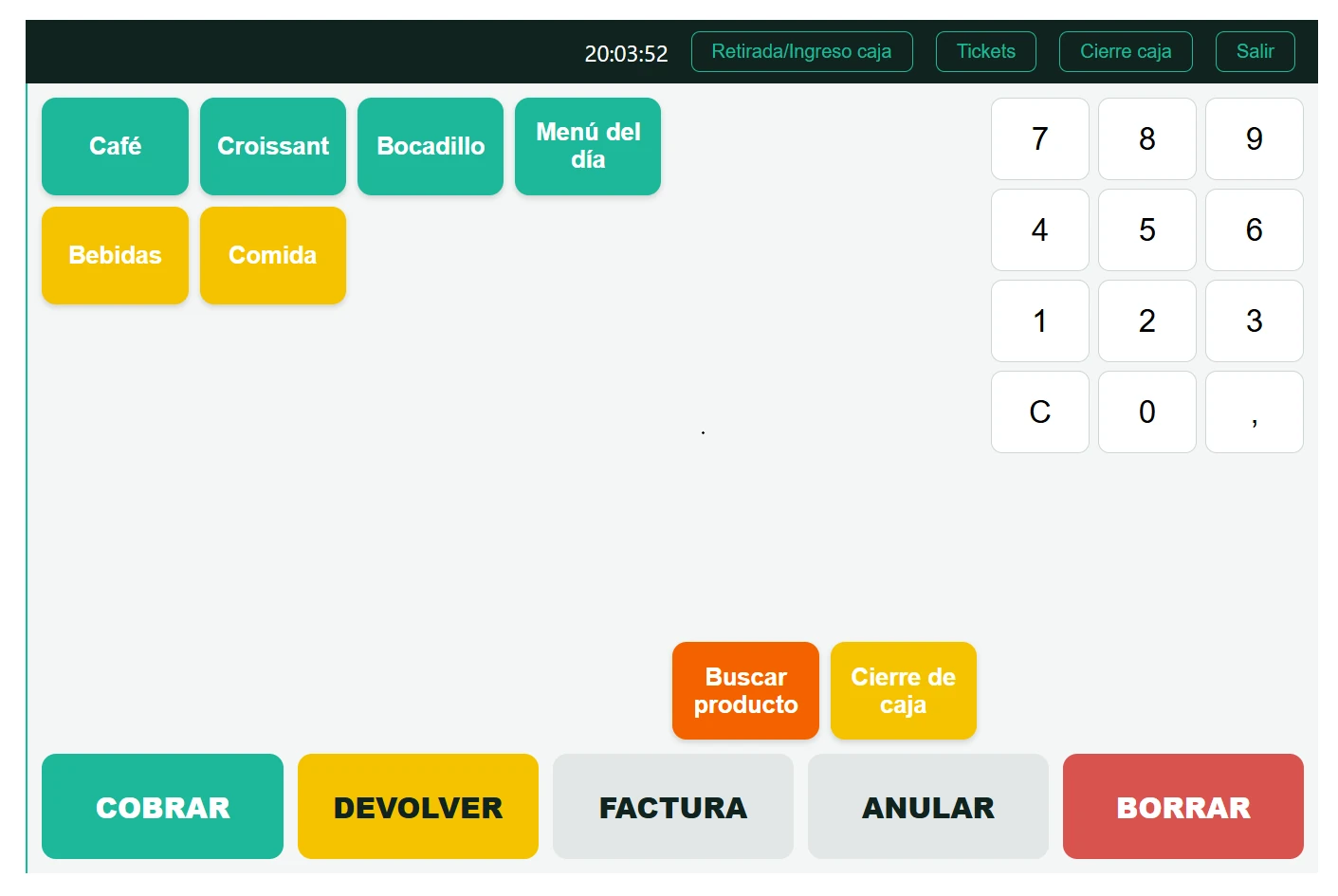
An integrated point of sale avoids double work: what's sold at the counter deducts stock, generates the accounting entry and feeds your reports automatically. Your team takes payments fast and you see the business up to date, store by store.
When the POS runs on its own, the usual problems show up: the store's stock doesn't match the warehouse's, till closings have to be entered by hand, and you never know the real margin until the month closes.
By connecting the point of sale with Business Central, the store stops being an island. Items, prices and promotions are managed in a single place, and sales reach the ERP instantly, ready to invoice and analyze.
Touchscreen, barcode scanner and cash or card payment.
Every sale deducts stock in real time, with no parallel counts.
The daily closing flows into Business Central on its own, balanced and traceable.
Control all your points of sale from a single central system.
We start from how you sell today: how many stores and tills you have, what payment methods you accept, whether you run promotions or loyalty cards, and what you need to see afterwards in your reports.
From there we connect the POS with Business Central and define what travels in each direction: items, prices and promotions flow down from the ERP to the store; sales, payments and till closings flow up from the store to the ERP.
Before going live we train the store staff, who are the ones using it every day, and test the whole flow with real sales. Afterwards we keep providing support and expanding the solution as you open new points of sale.
It's the system used to serve and charge customers at the counter: the touch-screen sales display, the cash drawer, the barcode scanner and the card payment terminal, all designed so checkout is fast even at peak hours with a queue of customers waiting. Used on its own, it only takes payments; integrated with Business Central, every sale recorded at the counter automatically deducts the corresponding stock, generates the accounting entry for the till closing, and feeds your sales and margin reports, with nobody having to transfer that data into the ERP by hand at the end of the day. That integration is exactly what turns a simple payment terminal into part of your management system.
Business Central is the ERP: it manages items, stock, price lists and accounting for the whole company, but the touch-screen checkout your staff use at the counter is provided by a dedicated point-of-sale solution, built to sell fast in a physical shop, not to be run from a desktop ERP. We implement that POS solution and integrate it with your Business Central so both work as a single system: the ERP remains the source of truth for items, prices and accounting, and the till simply takes payments and sends each sale to the ERP straight away, so you don't have to choose between a powerful management system and an agile one for checkout.
Yes. Every sale closed at the counter deducts the corresponding stock at that same moment, so the availability you check in Business Central reflects what's actually in the shop and the warehouse, not a snapshot of last night's stock or the last time someone did a manual count. This matters especially if you sell through more than one channel — a physical shop and an online store at once, for example — because it avoids selling online a product that already sold out at the counter that same morning. It also puts an end to the parallel spreadsheet counts many businesses keep precisely because they don't trust the system's stock to be up to date.
Yes. The solution is designed to work with several shops and several tills within each shop, each with its own daily closing and its own physical cash drawer, without forcing you to keep the accounting or stock of each shop separate. From Business Central you can view sales, margin and stock across the whole chain together, or filter by a specific shop if you need to see the detail for one particular location. This matters especially as the business grows: instead of having to rebuild the management system every time you open a new shop, you simply add a new point of sale to the central system you already have running.
It's one of the points we look at most closely before choosing the solution, precisely because a shop can't afford to stop taking payments over a connection outage, especially not at peak time with customers waiting in a queue. Depending on the point-of-sale solution chosen, an offline mode can be built in that keeps letting you take payments normally and automatically syncs those sales with Business Central as soon as the connection comes back, without losing or duplicating any sale. Not every solution offers that mode with the same level of robustness, so we size it according to how much your business depends on the connection and how much risk you're willing to accept in your specific case.
Yes. If, alongside your physical point of sale, you also integrate your online store (with Shopify or PrestaShop, for example) with the same Business Central, the ERP acts as the single source of truth for both stock and prices across both channels at once, instead of keeping two separate inventory systems that have to be reconciled by hand. This means a sale at the counter deducts the same stock your online store sees, and vice versa, avoiding the typical problem of selling online a product that has actually already sold out in the physical shop that same morning. It's a natural way to grow towards an omnichannel sales model without having to rebuild the management system you already use.
A standard connector or a custom development? The question that actually decides is whether someone has already solved your exact case before.
Read articleOverselling happens when your stock lives in several disconnected systems. The fix isn't counting more often: it's having one single source of truth.
Read articleThe 6 points to check before your Verifactu deadline: from confirming the date to making sure your invoice history stays safe.
Read articleTell us about your project and we'll advise you with no commitment on Business Central, Power BI, Power Platform or Azure.
Request your personalized consultation